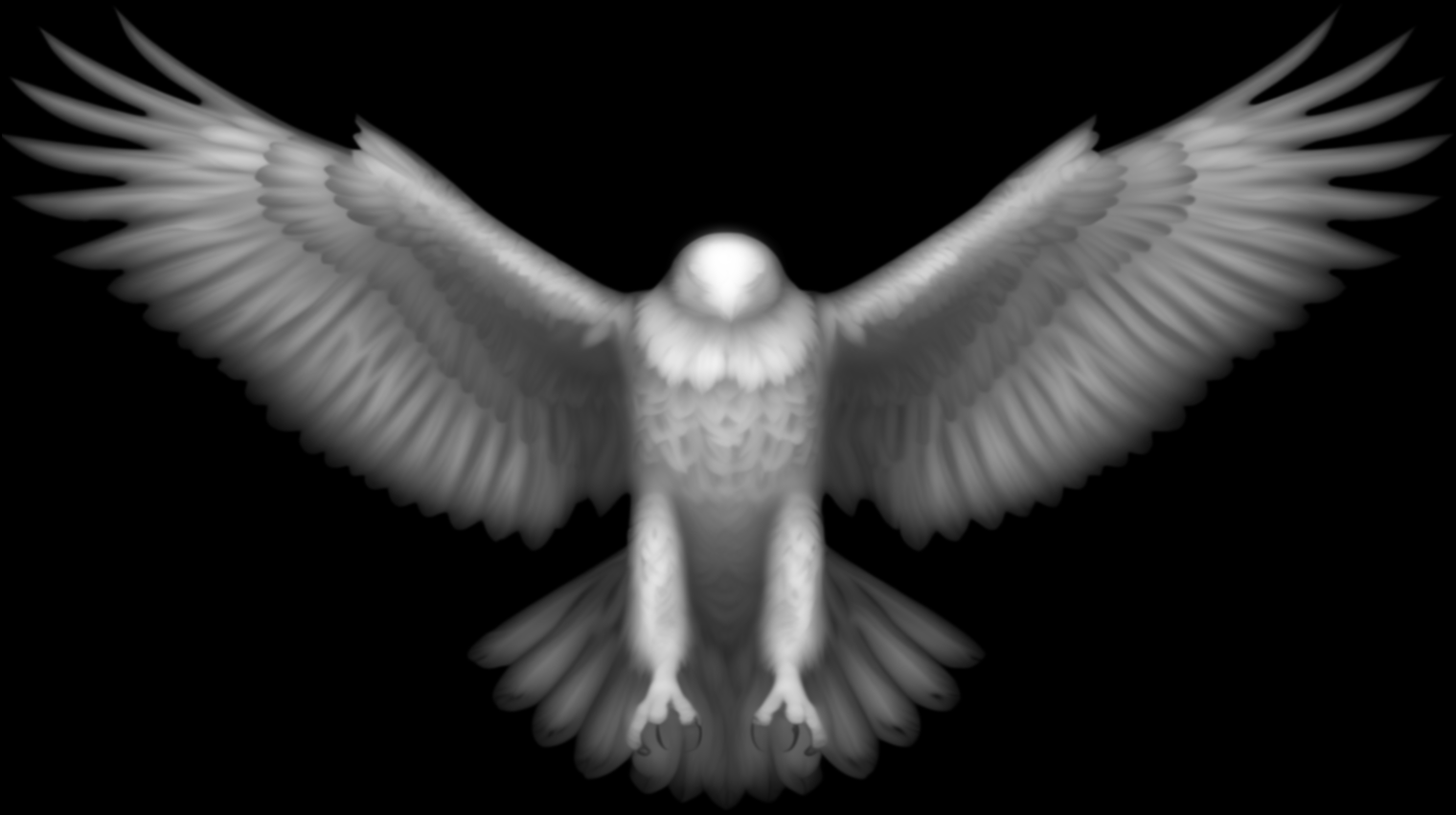
Eagle with Spread Wings
Majestic bald eagle with fully spread wings, detailed feathers, and visible talons. Classic design for signs, plaques, and patriotic projects.
Recommended stock size
This relief is landscape, roughly 16:9. It scales to any size, so pick a board that fits the proportions. Common cuts:
Carve depth is up to you. Most reliefs look good between 1/4" and 1/2" deep.
Project ideas for the Eagle with Spread Wings
- •Cabin and lodge wall plaques
- •Personalized hunting and fishing gifts
- •Carved signs and door hangers
- •Inlays for boxes and furniture panels
Wood: Walnut, maple, and cherry hold fine fur detail well. Basswood and butternut carve fast and clean if you are cutting a lot of practice runs.
Finish: A wipe of Danish oil pops the grain and the shadows in the relief. A dark glaze rubbed into the deep cuts adds contrast.
Bits: Rough with a 1/8" or 1/4" ball nose, then finish with a 1/16" or 1mm tapered ball nose to catch the fur and eyes.
How to Use This Heightmap
- 1. Download the heightmap. Click the download button to get the 16-bit PNG file.
- 2. Import into your CAM software. VCarve, Carveco, and Aspire all support heightmap imports. Look for "Import Bitmap", "Component from image", or "Model From Bitmap".
- 3. Scale to your stock. The heightmap scales proportionally. Set your desired width and height, and the relief depth will adjust automatically.
- 4. Generate toolpaths. Use a ball-nose bit for best results. Start with conservative settings and test on scrap first.
What's a heightmap? It's a grayscale image where brightness represents depth: white is high, black is low. Your CAM software reads this image and creates a 3D toolpath. This file is a 16-bit PNG for maximum detail.
Eagle with Spread Wings heightmap FAQ
What software opens the Eagle with Spread Wings heightmap? +
Any CAM tool that imports a bitmap or grayscale relief. Vectric VCarve and Aspire, and Carveco, all do it natively. Look for "Import Bitmap", "Component from image", or "Model from image". If you model in Fusion 360, you can bring in the relief once you convert it to a mesh or STL.
Is this an STL file? +
No, it is a 16-bit PNG heightmap, which is what most CAM tools actually want for a relief. They import it directly, and if you specifically need an STL, the same software converts a heightmap to STL in a couple of clicks.
Do I need to invert the grayscale? +
Usually not. Our heightmaps are white-is-high, the standard most software expects. If the relief imports inside-out, just toggle the invert option on import.
How big can I carve the Eagle with Spread Wings? +
It scales to any size, the proportions are about 16:9. Common cuts are 8 x 4.5", 12 x 6.5", 18 x 10". Depth is yours to set, most reliefs look good between 1/4" and 1/2" deep.
What bit should I use? +
For animal relief detail, rough with a 1/8" or 1/4" ball nose, then finish with a 1/16" or 1mm tapered ball nose to catch the fur and eyes.
Can I sell what I carve? +
These files are free for personal, non-commercial use under CC BY-NC-ND. Carve them for yourself, your home, and as gifts. Reselling finished carvings is commercial use the license does not cover, we are working on a commercial-license option, so reach out if you need one.
Details
- Category
- Animals & Wildlife
- File Format
- 16-bit PNG heightmap
- Resolution
- 1520 x 851 px, landscape
- File Size
- 836 KB
- License
- CC BY-NC-ND 4.0. Free for personal use
- Creator
- CNC Dad
What you get
- One 16-bit grayscale PNG heightmap. 1520 x 851 px, 836 KB.
- White is high, black is low. your CAM software builds the 3D toolpath from the brightness.
- No STL or gcode. you generate toolpaths for your own machine, bit, and stock.
Cutting this?
Next step
How to carve 3D reliefs: bits, stepover, feeds
Next step
Dial in feeds and speeds for your machine
New reliefs, every week
We add new free carving files regularly. One email a week: new models, plus feeds and speeds that work.
Free. No spam. Unsubscribe anytime.